Introduction
From approved logo to professional delivery.
Create, organise and deliver the logo variations your clients actually need — without rebuilding the same assets again and again.Preserve the Original Master. Build colourways and variants. Prepare professional files. Deliver a complete brand package.Designing a great logo is only part of the job. Preparing different colour versions, organising export files and delivering everything clearly to a client can take considerable extra work.
LogoVary is a Windows desktop application from HelpfulByte designed to simplify that process. It helps designers turn approved logo artwork into organised variations and professional delivery packages while keeping the original master protected.
What Is LogoVary?
LogoVary is HelpfulByte’s Windows application for turning approved artwork into organised logo variations and delivery packages. It complements the design software you already use. The focus is production after approval, rather than developing the initial logo concept.
It is aimed at freelance designers, graphic designers, branding studios and internal brand teams. Projects can be saved and reopened. [1]
Think of a restaurant identity: the main logo may look good on a menu, but a dark sign or a simple invoice might need different treatments. Preparing those assets consistently is a separate job from designing the identity.
How Does LogoVary Work?
The published workflow follows four stages: import the approved artwork, prepare its components, create variations, then review and export a delivery package. The Original Master remains separate from subsequent changes. [1]
A sensible way to evaluate this workflow would be to use one of your own completed projects. Check whether its delicate shapes and lettering survive preparation, whether each treatment remains readable, and whether the exported files meet the client’s requirements.
The real question is not how many files a tool can produce. It is whether those files need less manual correction than your existing process.
Who Is LogoVary For?
LogoVary is designed for people who already have a finished logo and need to prepare different versions for practical use.
- Freelance logo designers: Prepare organised logo files for client delivery.
- Graphic designers: Manage colour, black, white and other logo variations within one project.
- Branding agencies and studios: Create a consistent process for preparing and delivering brand assets.
- In-house design teams: Maintain logo versions for websites, social media, documents and print materials.
- Marketing agencies offering design services: Prepare suitable logo assets for different client projects.
LogoVary is most relevant to Windows users who regularly work with approved logos. Its main purpose is organising variations and delivery files; creating the initial logo still happens in your usual design software.
LogoVary Features and Technical Details
The vendor lists the following capabilities. Export availability depends on the artwork, colour information and project settings. [2]
Area Published capabilities
Input SVG, PNG, JPG and WebP
Artwork preparation Local raster-to-vector conversion, preview comparison and conversion controls
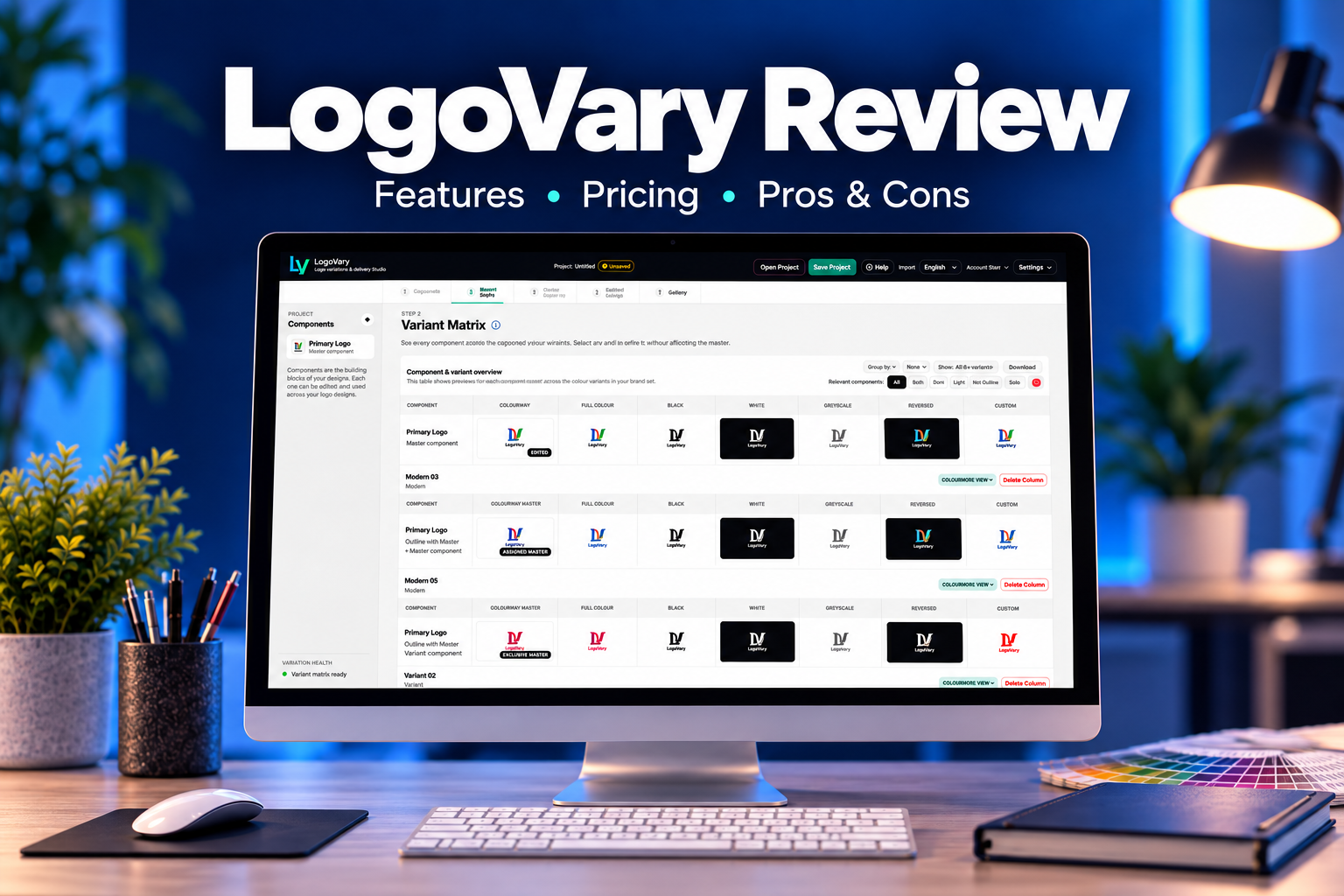
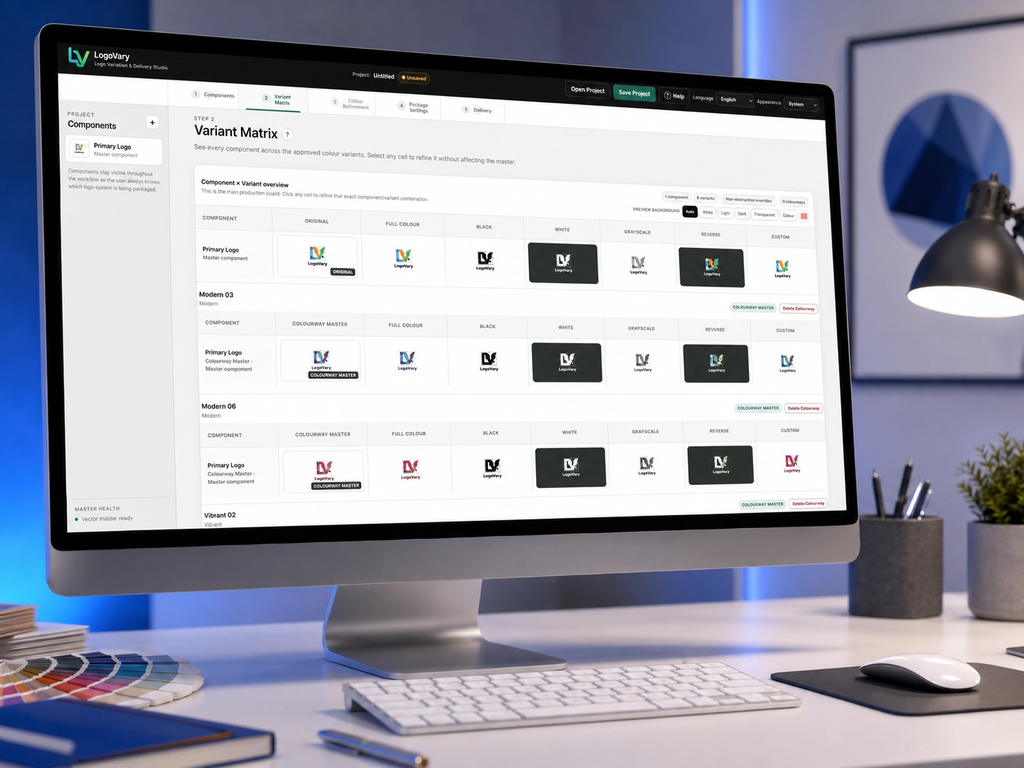
Variation management Visual matrix; colour, black, white, grayscale, reverse and custom treatments
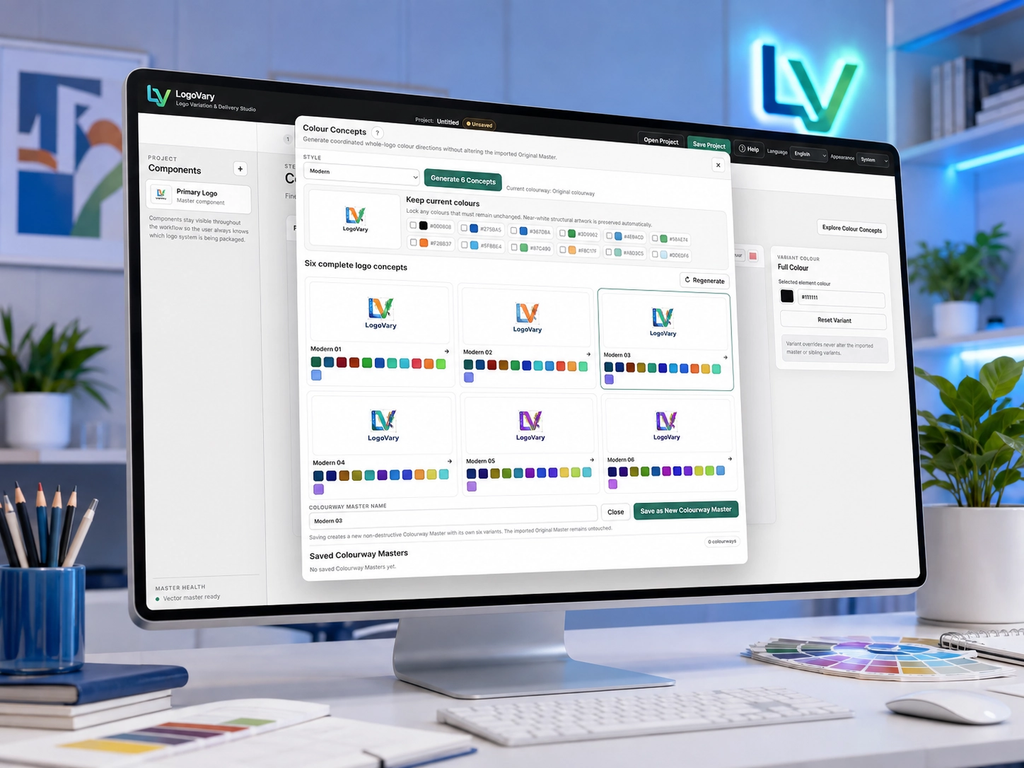
Colour exploration Six coordinated concepts per set; multiple colourway masters
Refinement Component adjustments; RGB, CMYK and spot-colour workflows
Output SVG, PNG, JPG, WebP, PDF and EPS
Package delivery Folder preview, validation, naming controls, manifest and SHA-256 checksums
Client reference Offline START-HERE HTML overview
Interface Multilingual support, appearance options and built-in help
Commercial Use and Future Updates
The published terms allow lawful personal and business use, including delivering output files you are entitled to distribute.
You cannot resell or redistribute the LogoVary application itself. You remain responsible for having permission to use imported artwork, fonts and other materials.
HelpfulByte does not claim ownership of your lawful artwork.
One important detail: a one-time purchase does not automatically include unlimited future versions or upgrades. Ask support about installation allowances and upgrade eligibility if those affect your buying decision.
LogoVary Pricing
The official sales page advertises:
- Launch price: US$67.
- Regular price: US$97.
- Payment: One time.
- Subscription: None advertised. helpfulbyte.com
Check the current offer and final checkout total before purchasing. The linked purchase route redirected to the general JVZoo marketplace during this review, so I could not independently confirm the final checkout details.
Money-Back Guarantee
LogoVary comes with a 14-calendar-day money-back guarantee from the purchase date.
HelpfulByte’s policy says you can request a refund if the software is not right for you. You do not need to prove that it is defective.
To request a refund, email support@helpfulbyte.com and include:
- The name or email used for your purchase.
- Your order or transaction reference, if available.
- A short message requesting a LogoVary refund.
Approved refunds are returned through the original payment or retail route. The time before the money appears in your account can depend on the payment provider or bank. helpfulbyte.com
If you purchase, evaluate it with a real project early enough to make a decision within that period.
Logo vary Pros and Cons
Pros
These are my assessments of the documented offering.
It addresses a practical workflow problem.
Preparing and organising assets can consume time after the creative work is complete.
It could encourage more consistent deliveries.
A repeatable process may help designers avoid uneven handoffs between projects.
It focuses on a clear task.
Its specialised purpose makes it easier to assess whether your business needs it.
It could improve the client experience.
A well-presented package may be easier for clients to understand and use.
It may suit designers with recurring projects.
The more often you repeat the same production tasks, the stronger the potential value.
Cons
Windows compatibility limits its audience.
People working on other platforms need to assess whether they have a suitable setup.
There will be some learning time.
Adding another application means learning its workflow and checking how it fits your process.
Its value depends on your current methods.
If your existing preparation and export process is already efficient, the improvement may be small.
LogoVary Frequently Asked Questions
What is LogoVary?
LogoVary is a Windows desktop application that helps you create, organise and export variations of an approved logo for professional delivery.
Does LogoVary create logos from scratch?
LogoVary focuses on preparing existing logo artwork. You create the original design in your usual design software, then use LogoVary to manage variations and delivery files.
Who is LogoVary best suited for?
It is designed for freelance logo designers, graphic designers, branding studios and in-house teams that regularly prepare logo assets.
Does LogoVary work on Mac?
The current published release is a Windows desktop application. Native Mac support is not listed.
Which file formats can I import?
The published import formats are SVG, PNG, JPG and WebP.
Can LogoVary convert images into vector artwork?
Yes. It includes a local raster-to-vector workflow for compatible images. Converted artwork should be inspected carefully before final delivery.
Which formats can I export?
LogoVary lists SVG, PNG, JPG, WebP, PDF and EPS exports. Available options depend on your artwork, colour information and project settings.
Will it change my original logo?
The Original Master remains a protected reference while variations and colour refinements are created separately.
Can I save projects and edit them later?
Yes. You can save and reopen LogoVary projects to continue working or prepare another delivery package.
Do clients need LogoVary to view the package reference?
No. The included START-HERE HTML reference works offline and can be viewed without installing LogoVary.
Is LogoVary a subscription?
The published offer is a one-time purchase with no subscription. Unlimited future upgrades are not automatically included.
Does LogoVary offer a money-back guarantee?
HelpfulByte publishes a 14-day money-back guarantee. Refund requests should be sent to support@helpfulbyte.com within 14 calendar days of purchase, with information identifying your order.
Can I use LogoVary for client work?
The terms permit lawful commercial and professional use. You must have the necessary rights to the artwork and other materials you use. Reselling or redistributing the software itself is prohibited.
Final Verdict
LogoVary presents a sensible proposition: improve the production work between an approved logo and a useful client delivery.
My recommendation is a conditional yes for Windows-based designers who regularly prepare logo packages. Compare it against one real project and judge the correction time, exported quality and clarity of the handoff.
If those tasks are already a bottleneck, the advertised price may be reasonable. If you rarely deliver logos, the case is weaker.
The strongest reason to buy is a better workflow—not an expectation of automatic business success.
Leave a Reply